Zyncli
AI Illustration generator for articles and visual storytelling.
AI Design·freemium
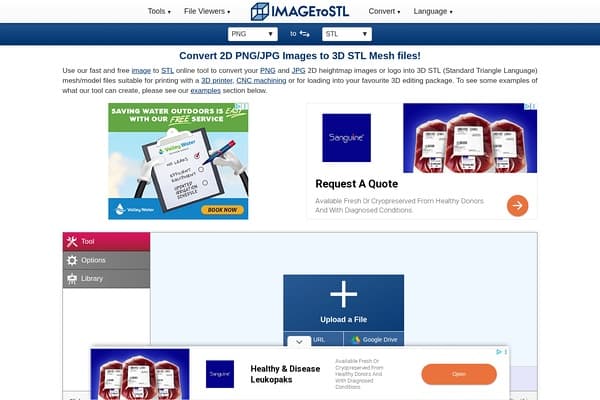
Transform 2D images into 3D printable STL files effortlessly!
Image to STL is a cutting-edge online platform that revolutionizes the way 2D images are transformed into 3D models. By simply uploading a PNG or JPG image, users can convert their designs into STL files suitable for 3D printing or CNC machining. The intuitive interface allows anyone, regardless of technical expertise, to create intricate 3D designs with ease, making it an ideal tool for artists, designers, and hobbyists.
The conversion process is enhanced by customizable features, allowing users to adjust extrusion settings, apply color overlays, and modify the detail level of their 3D models. Whether you need a heightmap model for 3D printing or a simple extrusion from a logo, Image to STL can handle diverse needs effectively and efficiently. This tool opens up exciting possibilities for 3D printing enthusiasts, enabling creativity and innovation without the need for specialized software.
Image to STL is completely free, providing unlimited use without any hidden fees or subscriptions.
Pros
Cons
You can use various formats including PNG, JPG, and many others for conversion.
Currently, there is no specified size limit, but larger images may take longer to process.
No, Image to STL is a web-based tool that requires no downloads or installations.
Once converted, you can use 3D modeling software to edit or adjust the STL file further.
Yes, Image to STL offers its services completely free of charge.
Need to organize your AI tool files?
Managing files from Image to STL and other tools? The Drive AI automatically organizes, tags, and retrieves all your files with AI.
Try The Drive AI free