Vivid Render
AI rendering for architects and interior designers.
AI Design·freemium
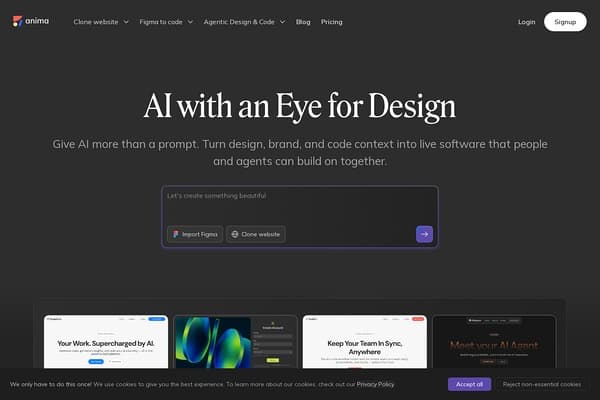
Turn your designs into code effortlessly with Anima!
Anima is an innovative design tool that bridges the gap between design and development, specifically curated for users who work with Figma. This platform empowers designers and developers alike by allowing them to effortlessly convert their Figma design files into responsive, high-quality websites or applications. With Anima's AI-driven features, static mockups can be transformed into live HTML or React applications, significantly streamlining the workflow from initial design to final deployment. Trusted by over 1.8 million users, including industry giants like Netflix and Amazon, Anima delivers a solution that is both effective and user-friendly, suitable for professionals and newcomers in the tech space.
Anima stands out in the crowded field of design tools because it emphasizes design fidelity and seamless integration with various development frameworks. Users can select their preferred technology stack, from clean CSS to Tailwind or inline styles, ensuring that the generated output meets specific project requirements. Whether you're developing intricate applications or simple web pages, Anima provides the necessary tools to execute your vision with precision and creativity, making it a vital asset for everyone in the UX design and web development sectors.
Anima offers a freemium pricing model. Users can start with a free plan, which provides basic functionalities for Figma import and design exports. Advanced features, including custom code output and version control, are available with paid plans, which start at $19 per month. For teams needing collaborative access and additional features, custom pricing is available upon request.
Pros
Cons
Anima is a design tool that allows users to convert Figma design files into responsive websites and applications. It employs AI to streamline the transition from static mockups to live HTML or React code.
Yes, Anima is designed to be user-friendly and accessible for users with little to no coding experience. However, some familiarity with web technologies can enhance your experience.
Absolutely! Anima supports collaboration with version control, allowing multiple team members to contribute and update projects seamlessly.
Anima supports various tech stacks, allowing users to generate clean CSS, Tailwind, or inline styles depending on their project requirements.
Yes, Anima offers a freemium model where users can access basic features for free, with options to upgrade for advanced functionalities.
Need to organize your AI tool files?
Managing files from Anima and other tools? The Drive AI automatically organizes, tags, and retrieves all your files with AI.
Try The Drive AI free