Markdown to Word Converter
Convert GitHub-flavored Markdown to editable Microsoft Word .docx files.
AI Productivity·freemium
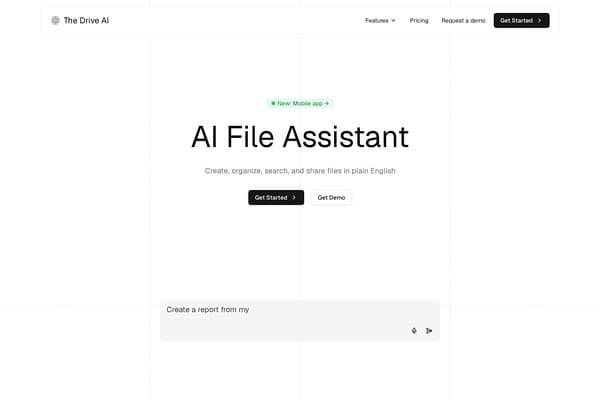
AI assistant organizing and managing your cloud files with natural language.
The Drive AI is a cutting-edge AI-powered document management assistant designed to revolutionize how teams handle, organize, and interact with their files across multiple cloud storage platforms. By utilizing advanced natural language processing and deep content analysis, it automates tedious manual tasks such as filing, renaming, merging, sharing, and electronic signing. Rather than relying solely on filenames, The Drive AI reads the actual content of documents, ensuring files are accurately categorized and easy to retrieve.
Seamlessly integrating with popular cloud services like Google Drive, OneDrive, SharePoint, Dropbox, Gmail, Outlook, Slack, and Microsoft Teams, this tool operates within your existing workflow. It offers workflow automation to continuously manage incoming files, a Chrome extension for direct browser-based management, mobile apps including document scanning, and robust security features like encrypted processing, malware scanning, and detailed audit trails. The Drive AI is particularly tailored for document-intensive industries such as legal, real estate, accounting, and property management, providing specialized workflows and AI-assisted insights that boost productivity and compliance.
By combining intelligent file management with user-friendly natural language commands and comprehensive integrations, The Drive AI transforms chaotic file repositories into well-structured, easily searchable information hubs, empowering teams to focus on higher-value work rather than file maintenance.
The Drive AI offers a freemium pricing model providing core features to users at no cost, allowing individuals and teams to start organizing and managing files immediately. Advanced capabilities, such as integration with multiple connected drives (Google Drive, OneDrive, SharePoint, Dropbox) and access to workflow automations, are available on paid plans designed for professional and enterprise use. Pricing tiers typically include:
For precise pricing details, potential users are encouraged to visit the official website or contact The Drive AI team directly, as pricing may vary based on organizational needs and number of users.
Pros
Cons
The Drive AI integrates directly with major cloud storage platforms including Google Drive, OneDrive, SharePoint, Dropbox, and supports file import from Gmail, Outlook, Slack, and Microsoft Teams.
Yes, it allows users to automate filing, renaming, merging, sharing, and e-signing files using natural language commands and workflow automations that manage files continuously.
Absolutely. It offers encrypted processing, malware scanning, granular permission controls, approval workflows, and full audit trails to maintain security and compliance.
Yes, it organizes and manages files in place across your connected cloud drives, so you don’t need to move or duplicate files to use its services.
The Drive AI offers a freemium plan providing basic AI-assisted file management and workspace features, with advanced integrations and automations available on paid plans.
Yes, it is tailored for document-heavy industries such as legal, real estate, accounting, property management, and human resources, offering specialized workflows to suit each sector's needs.
10 User-Centric Features of The Drive AI for Enhanced Productivity
Jun 2, 2026
The Drive AI Reviews: Real-World Productivity Impact
May 29, 2026
Mastering The Drive AI for Industry-Specific Needs
May 25, 2026
10 Things You Didn't Know The Drive AI Could Do
May 16, 2026
Complete Guide to AI File Management with The Drive AI
May 12, 2026
The Best Alternatives to The Drive AI in 2026
May 10, 2026
Best AI Research Tools for Journalists
Discover the best AI research tools for journalists. Explore AI tools for investigative journalism, fact checking, and news analysis.
Best AI Research Tools for Academics
Discover the best AI research tools for academics, including literature review assistants and citation analysis tools.
Best AI Video Tools for Marketers: Top Picks for 2024
Discover the best AI video tools for marketers. Find top AI video makers for ads, content creation, and campaign management.
Best AI Video Tools for YouTubers: Streamline Your Channel in 2026
Discover the best AI video tools for YouTube. See top picks for YouTubers: video editing, generation, and file management to grow your channel in 2026.
Convert GitHub-flavored Markdown to editable Microsoft Word .docx files.
Free online tool to test every key on your keyboard.
Pure #000000 black fullscreen tool for monitor testing and focus.