VideoAny
Transform images into videos and generate audio with AI.
AI Video·freemium
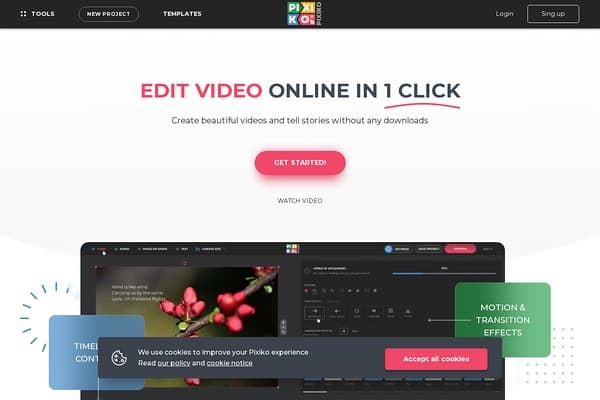
A simple online editor that enables quick video creation and sharing using AI.
Pixiko is a streamlined online video editor designed for quick and effortless video creation and sharing, utilizing the power of AI tools. It provides users with an intuitive platform where beautiful videos can be crafted in just a few clicks, all through a web interface that negates the need for downloads or complex software installations. With its commitment to simplicity and efficiency, Pixiko caters to both casual users and professionals looking to create impactful video content without the steep learning curve often associated with video editing software.
Offering a diverse range of video editing capabilities, Pixiko includes features such as trimming, merging, adding text, and applying stunning animations and effects. Whether you're looking to make short social media clips, marketing videos, or personal projects, Pixiko provides the essential tools to tell your story visually. Its user-friendliness combined with effective AI-enhanced functionalities make it a compelling choice for anyone looking to enter the world of video editing quickly and efficiently.
Pixiko operates on a freemium model, allowing users to access basic editing tools for free, while premium features are available through various subscription plans. The premium plans unlock additional functionalities, advanced effects, and more extensive support for professional video editing needs. Specific pricing details can be found on the Pixiko website, which offers options tailored for both individual users and businesses.
Pros
Cons
Yes, Pixiko is designed to be user-friendly and is suitable for beginners who want to create videos quickly without needing extensive editing knowledge.
You can create a variety of videos including promotional clips, educational content, event highlights, and social media videos.
No, Pixiko is a cloud-based platform, meaning you can access it directly from your web browser without any downloads.
Yes, the free version has certain limitations on features and the number of videos you can export. Upgrading to premium opens up additional features and tools.
Absolutely! Pixiko offers a range of tools and templates that can cater to professional-grade projects, especially for quick turnarounds.
Need to organize your AI tool files?
Managing files from Pixiko and other tools? The Drive AI automatically organizes, tags, and retrieves all your files with AI.
Try The Drive AI free