whisper.cpp
Fast and flexible speech recognition in C/C++.
AI Developer Tools·free
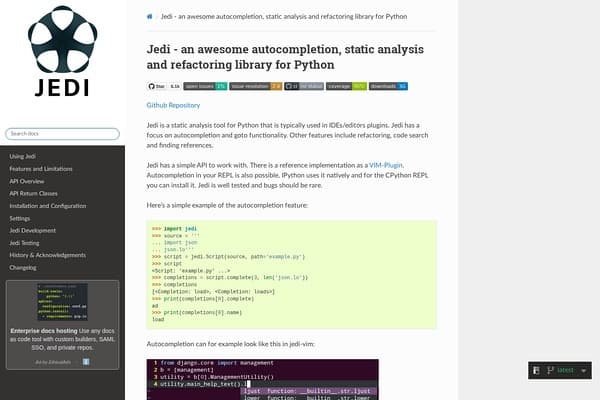
An autocompletion tool for Python that offers intelligent code suggestions and navigate features within your IDE.
Jedi is a powerful autocompletion and static analysis tool specifically designed for Python programming, enhancing the coding experience within various Integrated Development Environments (IDEs) and editors. Its emphasis on intelligent code suggestions helps streamline the coding process and improve productivity by providing context-aware completions, reducing the amount of time developers spend on navigation and searching for functions. Whether you're working in code-heavy environments like VIM or integrating it into other editors, Jedi offers a seamless experience that fosters cleaner code and better development workflows.
Beyond just autocompletion, Jedi also provides robust features like code searching and refactoring tools that empower developers to maintain high-quality code. The library has a straightforward API which simplifies implementation, ensuring that even novice users can harness its capabilities. With comprehensive documentation and real-world examples, Jedi stands out as a reliable companion for Python developers, offering them the tools they need to focus on creativity instead of getting bogged down by coding minutiae.
Jedi operates under a freemium model; the core functionalities are free to use, making them accessible to all Python developers. There are premium features available through integration with certain IDEs or plugins that may require a subscription, depending on the third-party service used.
Pros
Cons
Jedi is primarily designed for Python, providing tailored features that enhance the coding experience in this language.
While Jedi can be integrated into many text editors and IDEs, support may vary. It is most commonly used with VIM and is also compatible with other Python setups.
Yes, Jedi offers a freemium model, allowing access to its core features at no cost, while additional integration options may incur fees.
By offering intelligent autocompletion and code navigation, Jedi saves developers time and reduces the chances of error, allowing them to focus on building rather than searching.
Absolutely! Jedi's user-friendly interface and detailed documentation make it an excellent choice for both novice and experienced developers.
Need to organize your AI tool files?
Managing files from Jedi and other tools? The Drive AI automatically organizes, tags, and retrieves all your files with AI.
Try The Drive AI free