50% off
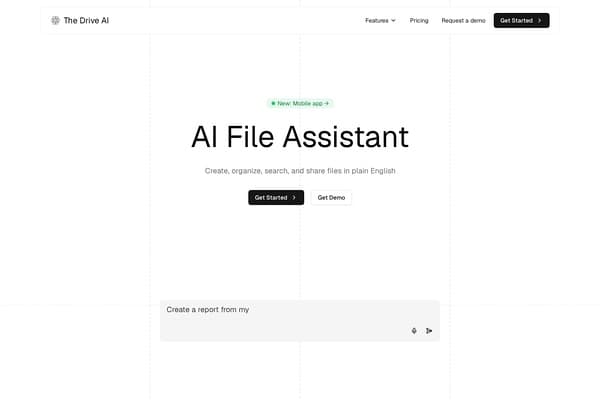
The Drive AI
Revolutionary AI-driven document management for seamless collaboration.
AI Productivity·freemium50% off →
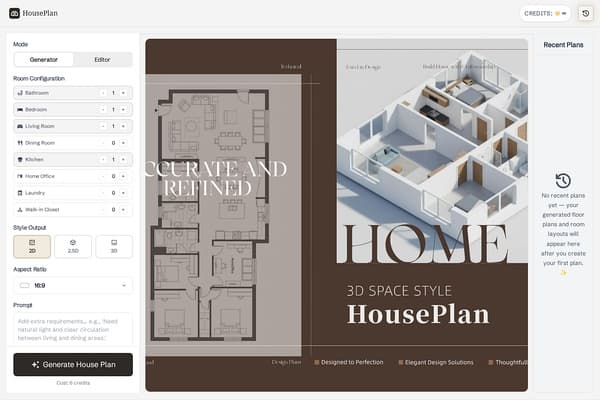
Design your dream home in seconds with AI-powered floor plans!
HousePlan stands out as a cutting-edge AI tool designed specifically for home design enthusiasts and professionals. By leveraging artificial intelligence, it streamlines the typically complex process of creating floor plans, allowing users to visualize their ideas more effectively and efficiently. The platform caters to a diverse audience, from homeowners looking to renovate their spaces to architects drafting new residential projects.
What makes HousePlan unique is its ability to produce high-quality designs at various output levels—2D, 2.5D, and 3D—ensuring that users can visualize their plans in a way that suits their preferences. Its intuitive interface allows users to easily manipulate room configurations and add specific features, making it a versatile tool for any design project. Whether you’re working on a budget-friendly housing project or a luxury home, HousePlan offers the tools you need to bring your vision to life.
HousePlan operates on a credit-based system where each generated plan costs 6 credits. Credits can be purchased in bulk: 50 credits for $10, 150 credits for $25, and 500 credits for $70, allowing flexibility for different user needs.
Pros
Cons
Simply select your desired room configurations, choose the output style (2D, 2.5D, 3D), and input any reference images or specific prompts before clicking 'Generate House Plan.'
Currently, HousePlan allows you to export plans as image files, which can be saved or printed for your convenience.
HousePlan offers a freemium model, allowing users to try the tool with limited functionality before purchasing credits for advanced features.
HousePlan currently does not support collaborative projects; plans are generated per user session.
You can easily purchase additional credits directly through the platform to continue generating new designs.
Need to organize your AI tool files?
Managing files from HousePlan and other tools? The Drive AI automatically organizes, tags, and retrieves all your files with AI.
Try The Drive AI free